Background
Alongside a redesign of the main Homebase platform (formally, The Community Manager) for residents and property managers, a platform for residents and property managers to manage their included wifi networks was necessary.
In order to streamline the smart home experience, including a Homebase Wifi network is the easiest way to ensure that all Homebase features and appliances work seamlessly. Up until this point, the network could only be managed by Homebase. But we recognized that it is widely important and necessary to be able to see the devices currently on a network, see the status of the network and even, on a basic level, troubleshoot speed related problems which could save time on the maintenance end.
The goal of this project was to conceptualize and create a portion of the newly redesigned Community Manager that was a comparable experience to what many traditional Internet service providers offer as well as providing additional functionality centered around the Homebase ecosystem.
My Role was to conceptualize ideas and design the experience. Many of the concepts that I designed for would eventually be added in later releases than when Homebase Networks was released.
I Worked Alongside Jared, VP of Product for design direction, making sure my designs were inline with his for the in-progress redesign. I also spent a large amount of time working through the overall direction of the concept with Blake, Homebase CEO. Towards the end of the concept phase and just before settling into a design, I worked alongside Daniel, a developer, to understand what was feasible for this new platform and what items had a larger technical load than others so as to better understand which items would make it into the initial release.
Step One: Research
The vast majority of the research done for this project was delving into all of the features and offerings of well established ISPs such as AT&T, COX, CenturyLink, etc.
I also spent time considering all of the opportunities for innovation with this project considering that we are in a unique position to offer users more features and functionality that tie in more closely with their overall living experience.
The final piece of the research phase was gaining insight from both the CEO and VP of Product to understand their thoughts on the direction and hear some aspirational thoughts on what the high level future of this feature could bring.
Step Two: Scope of Functionality
What should be included in a section dedicated to giving users all relevant information on their network?
What would the user get the most value from without being overwhelmed?
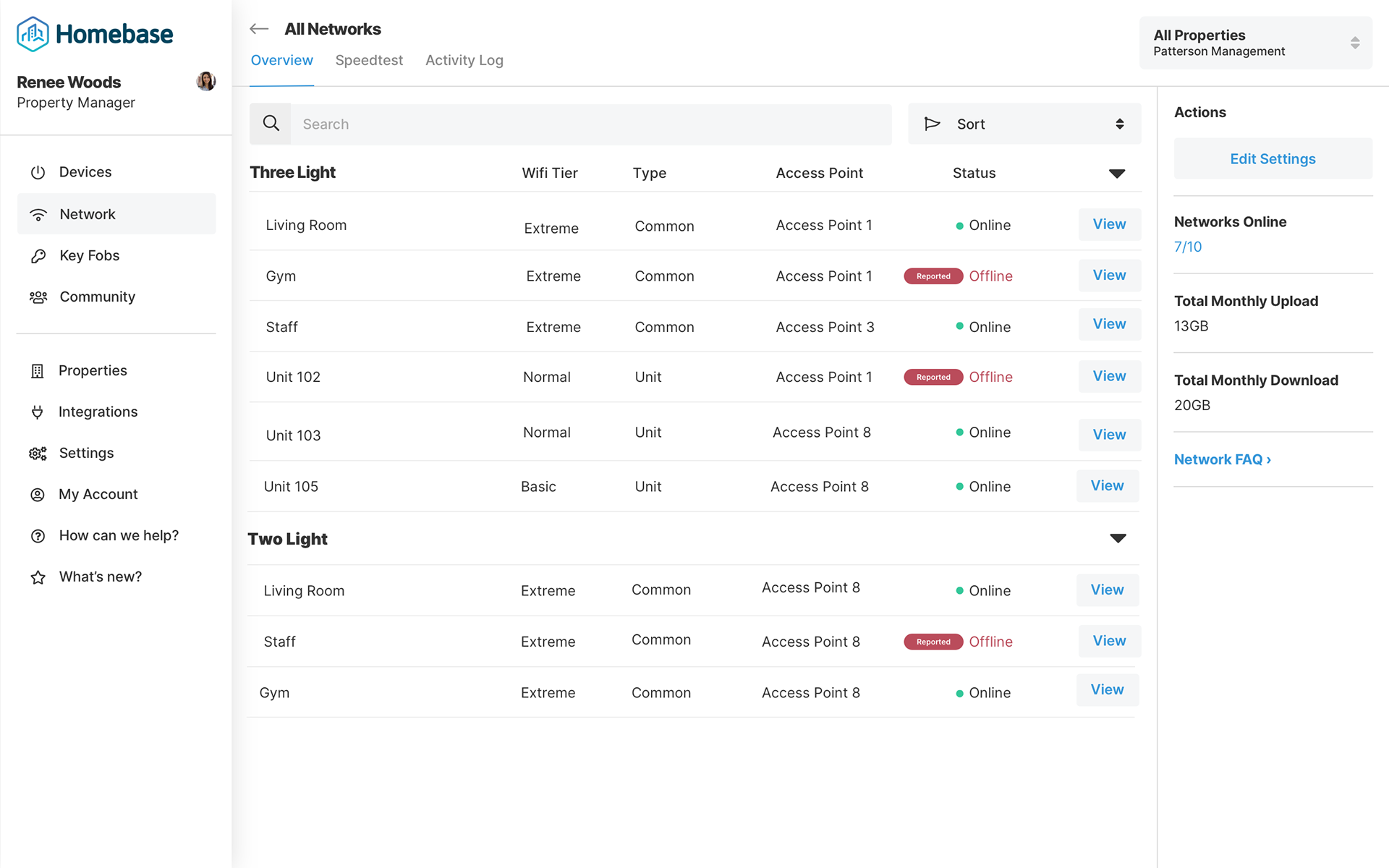
A logical and basic step in the right direction is giving the user some sort of network status indicator; Is it online or offline? Next, we found that many users would want easy access to the number of/ list of devices currently connected to the network. As well, the ability to speedtest the network without having to use a 3rd party platform was another highly requested feature.
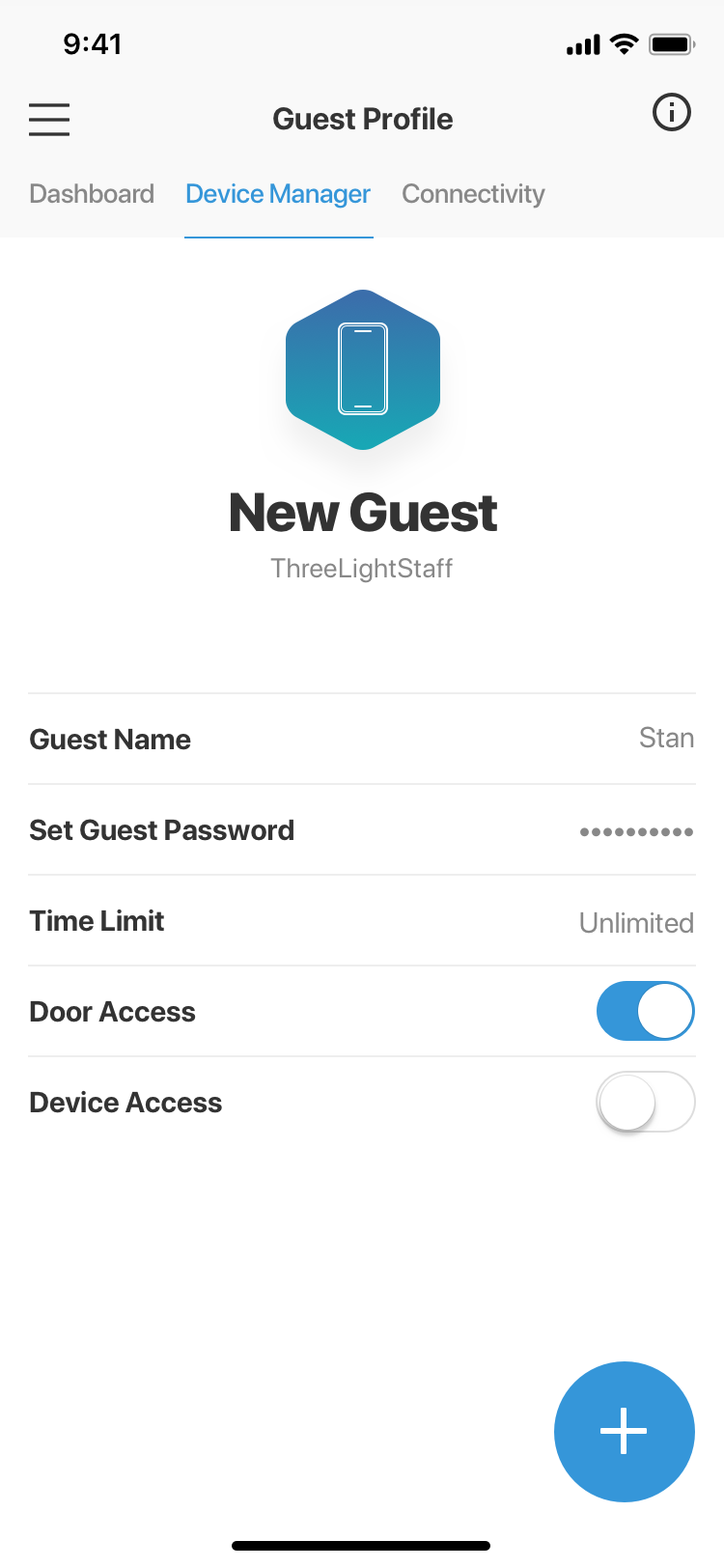
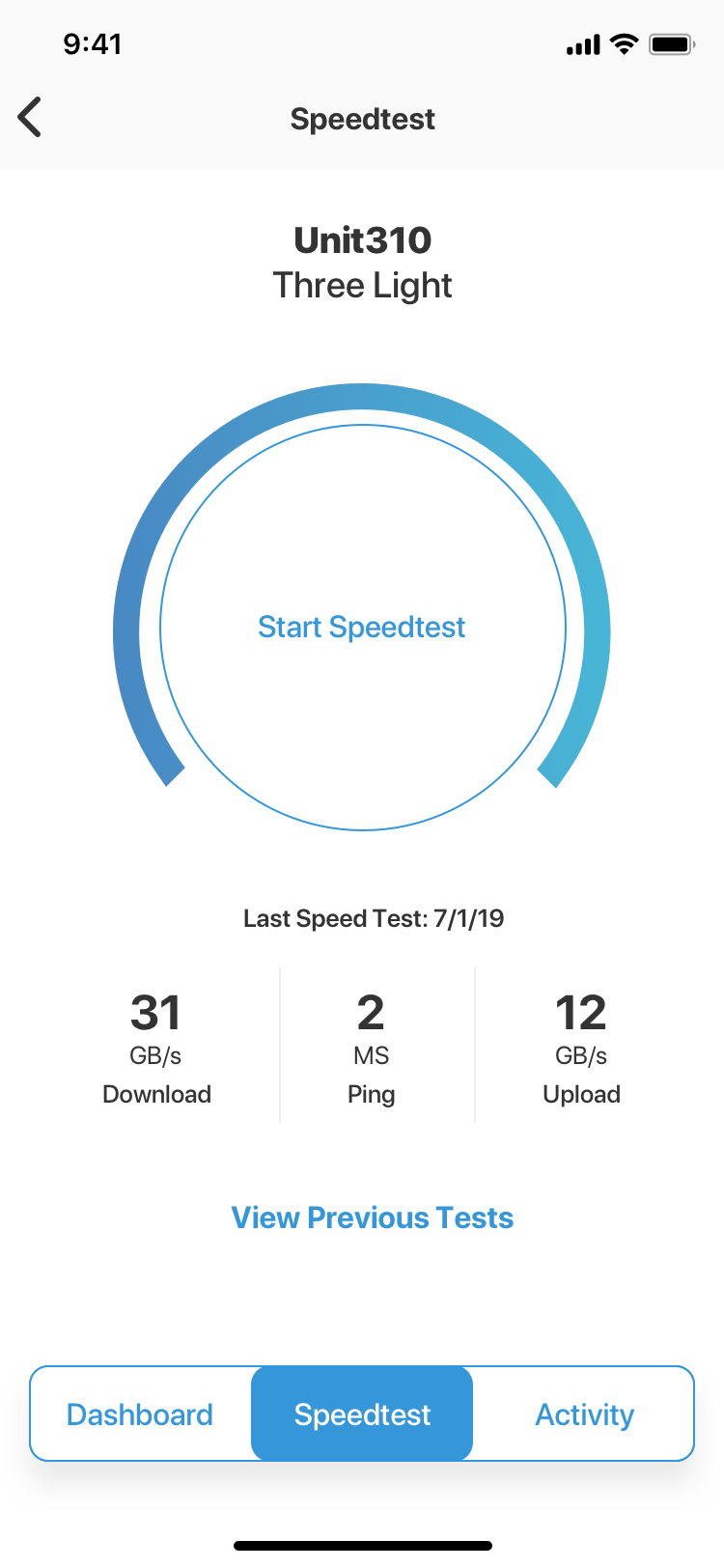
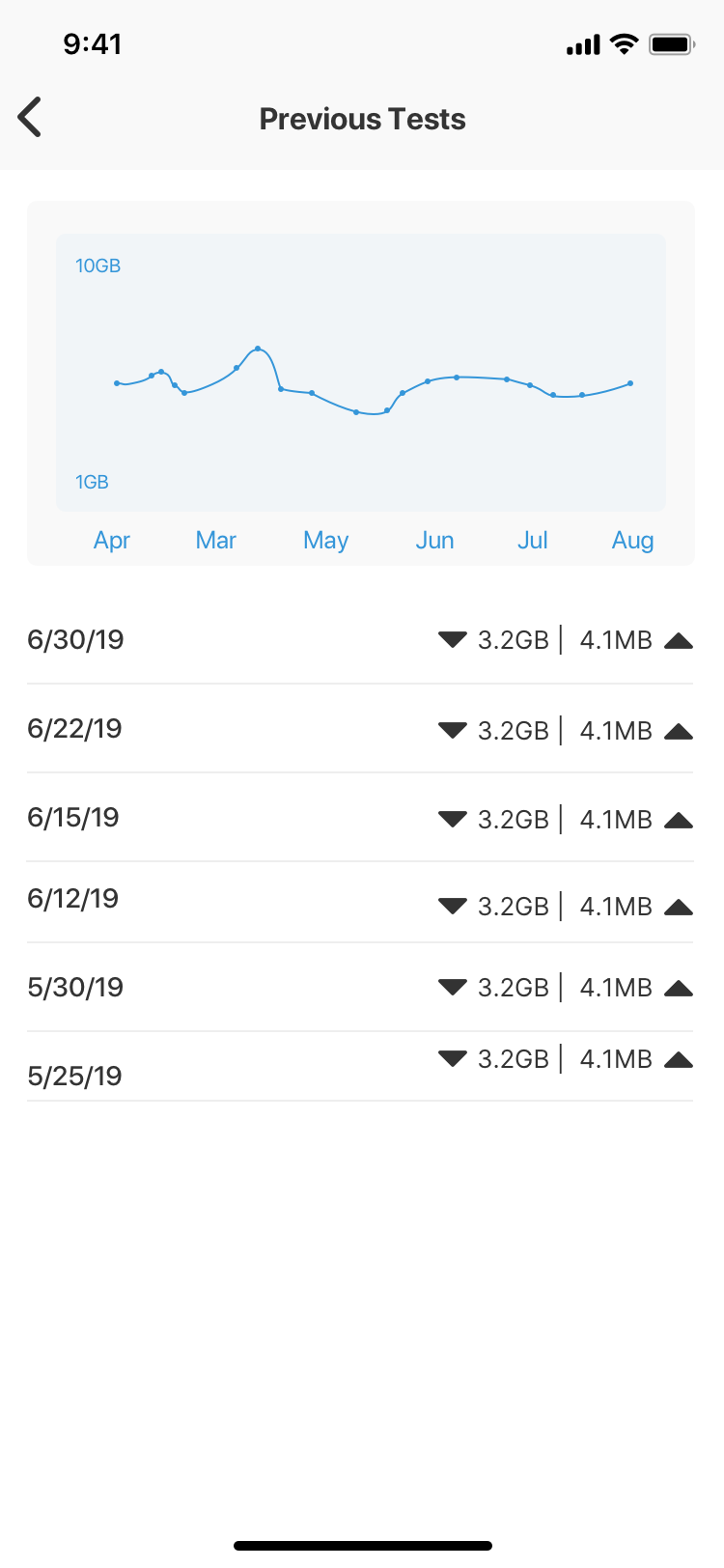
Diving a little deeper, we wanted to give users the ability to see some stats on the devices connected to the network and give them the option to manage devices and their network access. Uniquely, the Homebase platform has the opportunity to give certain devices both a certain time window that they can access the network as well as the ability to open certain building doors at the resident's discretion. Lastly, in order to help with troubleshooting in the event of slower network speeds, the speedtest section also comes with an activity log of past test results so that it is even easier to compare network speeds.
Step Three: Sketches
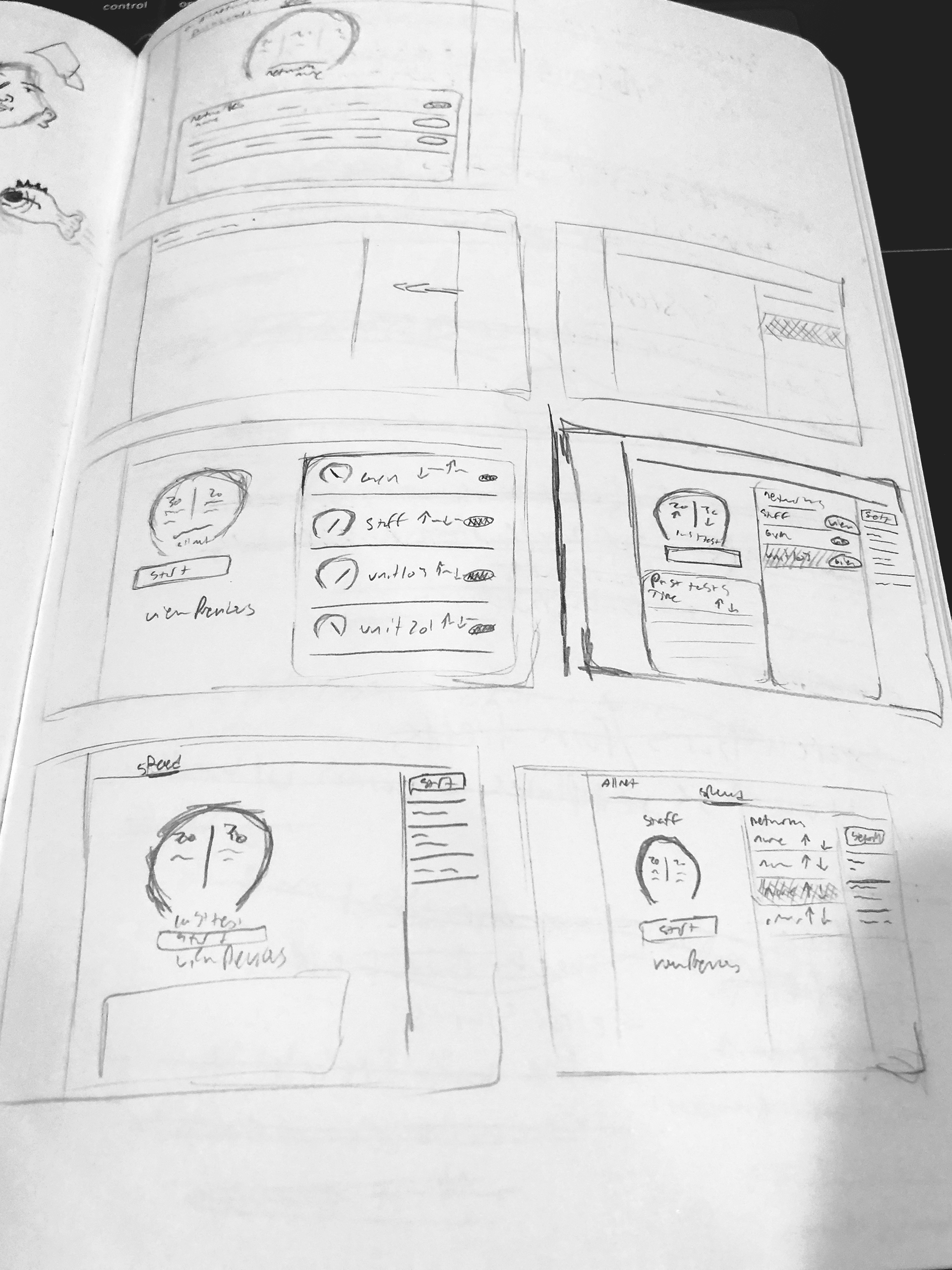
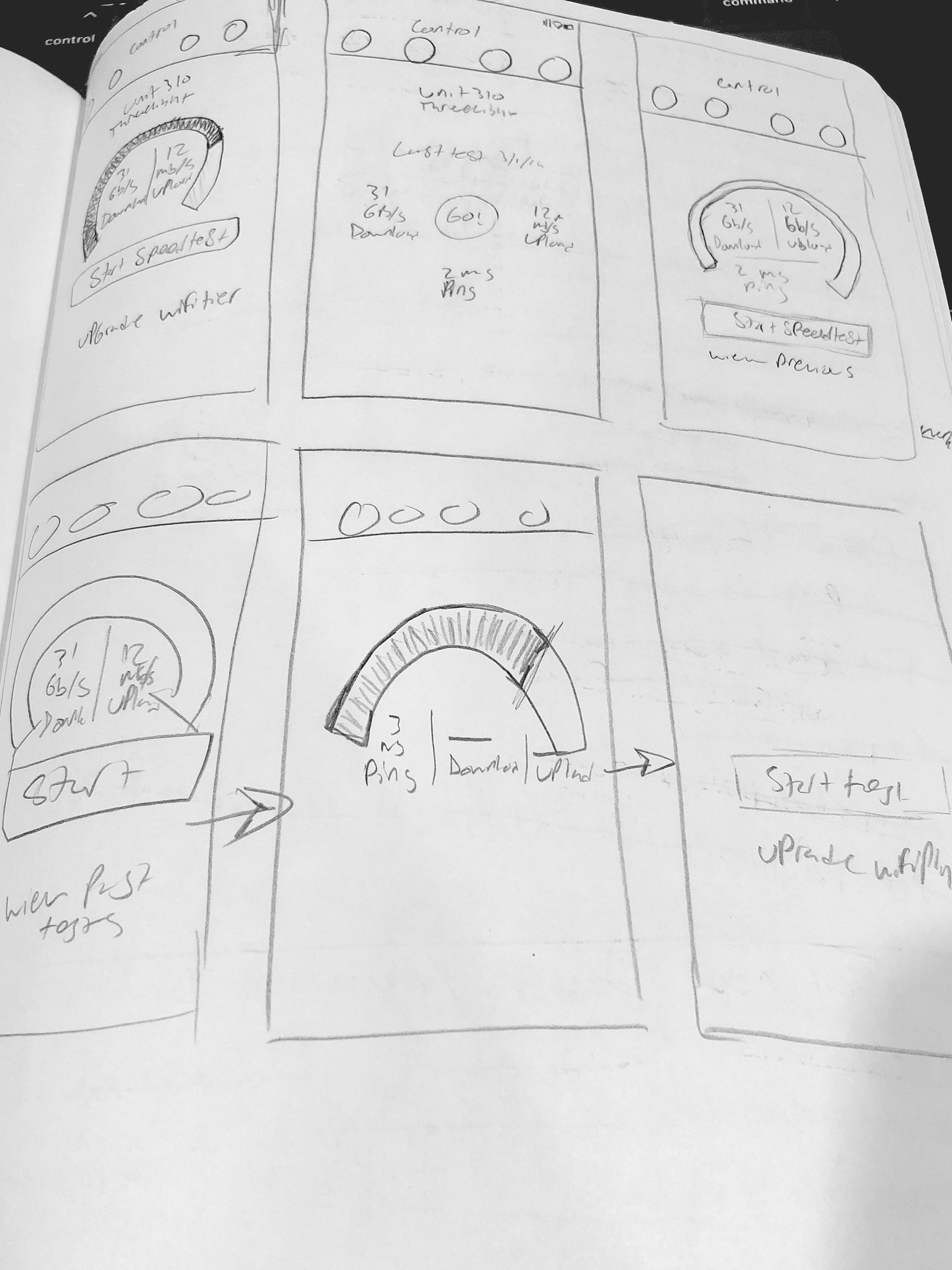
Some of the biggest concerns of mine prior to designing were how the speedtest screens were going to stay consistent between the mobile and desktop versions. Additionally, finding a way for users to access the network section on the existing mobile app was a challenge as well.
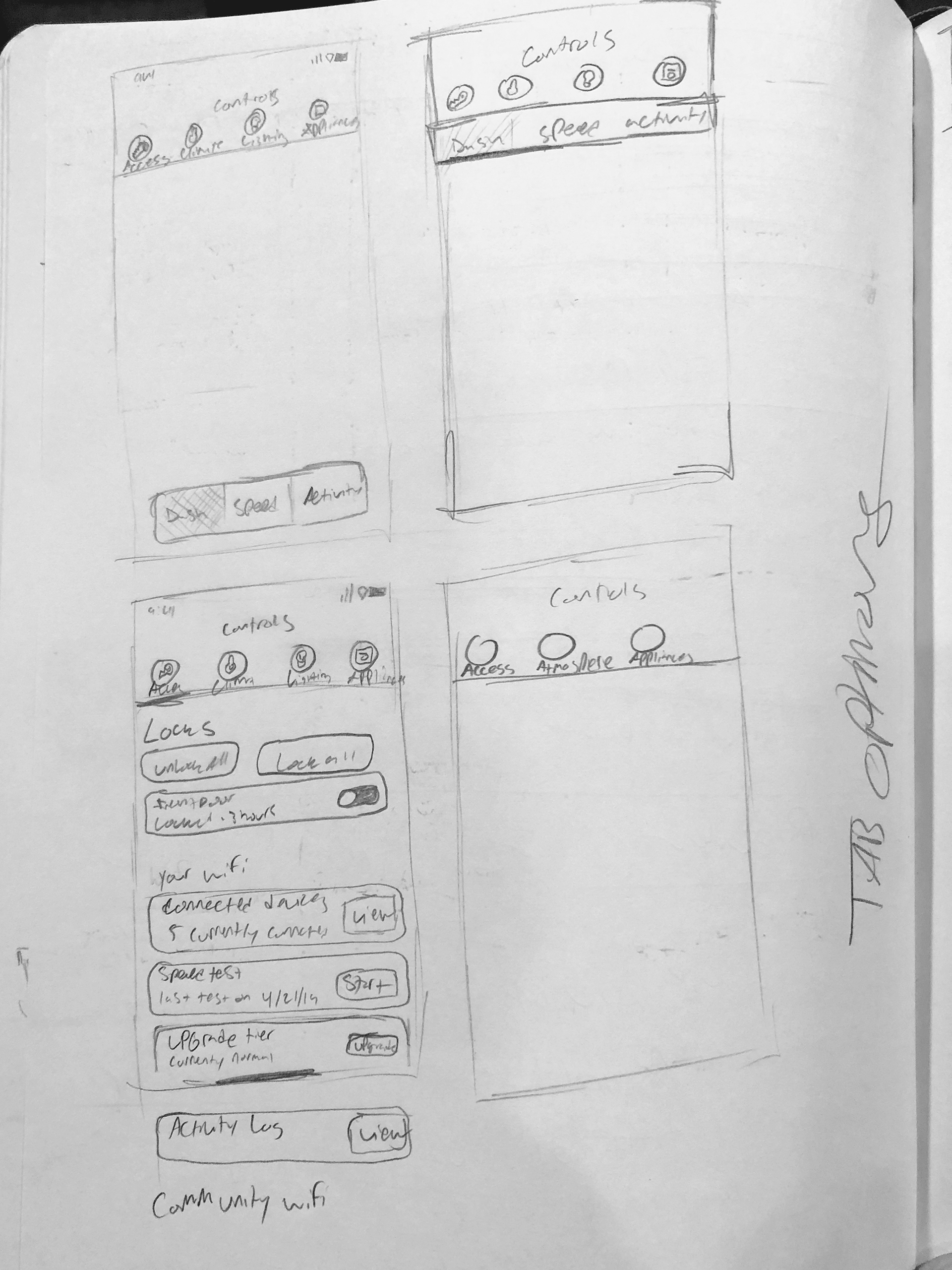
Rough Mockups
My rough mockups ended up being quite close to the final project. The major changes coming from the visual design of the speedtest and a few features that I had included in each individual device page but didn't quite make it to the final release due to not being able to fit in the sprint.
Refined Mockups
The Refined design came down to using a modular-like design which was inspired by the dashboard screen which I had designed previously as part of a redesign of the Homebase Community Manager app.
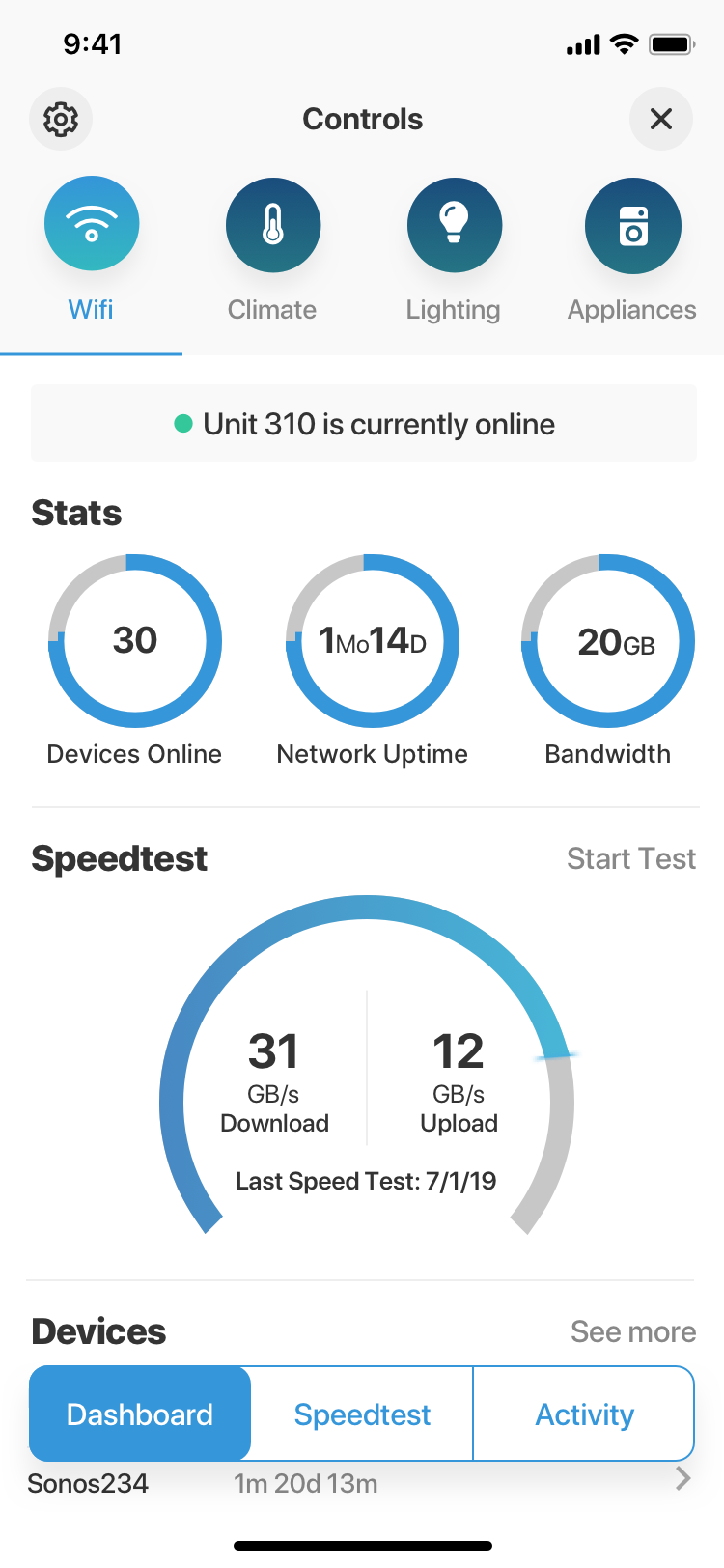
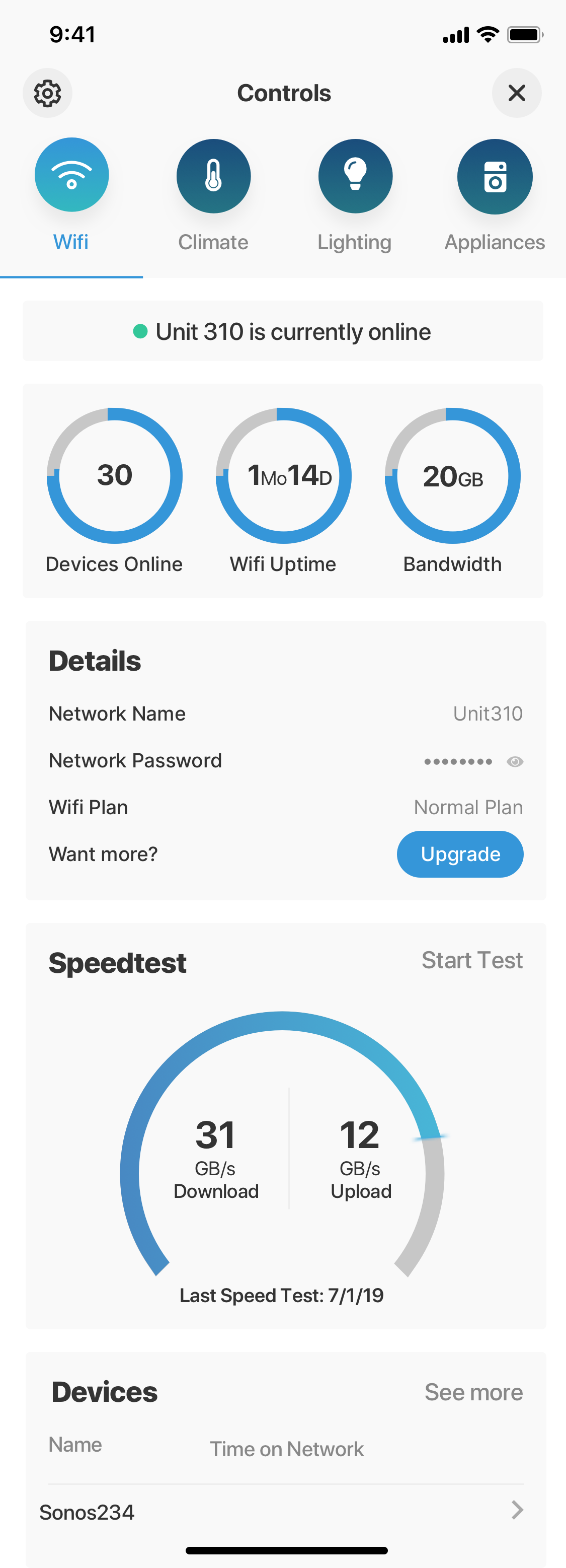
Starting at the top, after hemming and hawing about the way that the user would first access the network management screens. I eventually landed on including it in the top bar alongside the three other major control sections. There were other thoughts about adding it as a smaller button where the settings button resides now, in the top left corner. However, this is a major feature for the Homebase ecosystem and there is a lot of features packed inside that will be highly useful for the majority of our users; it shouldn't pushed aside to a place that may be easy to miss.
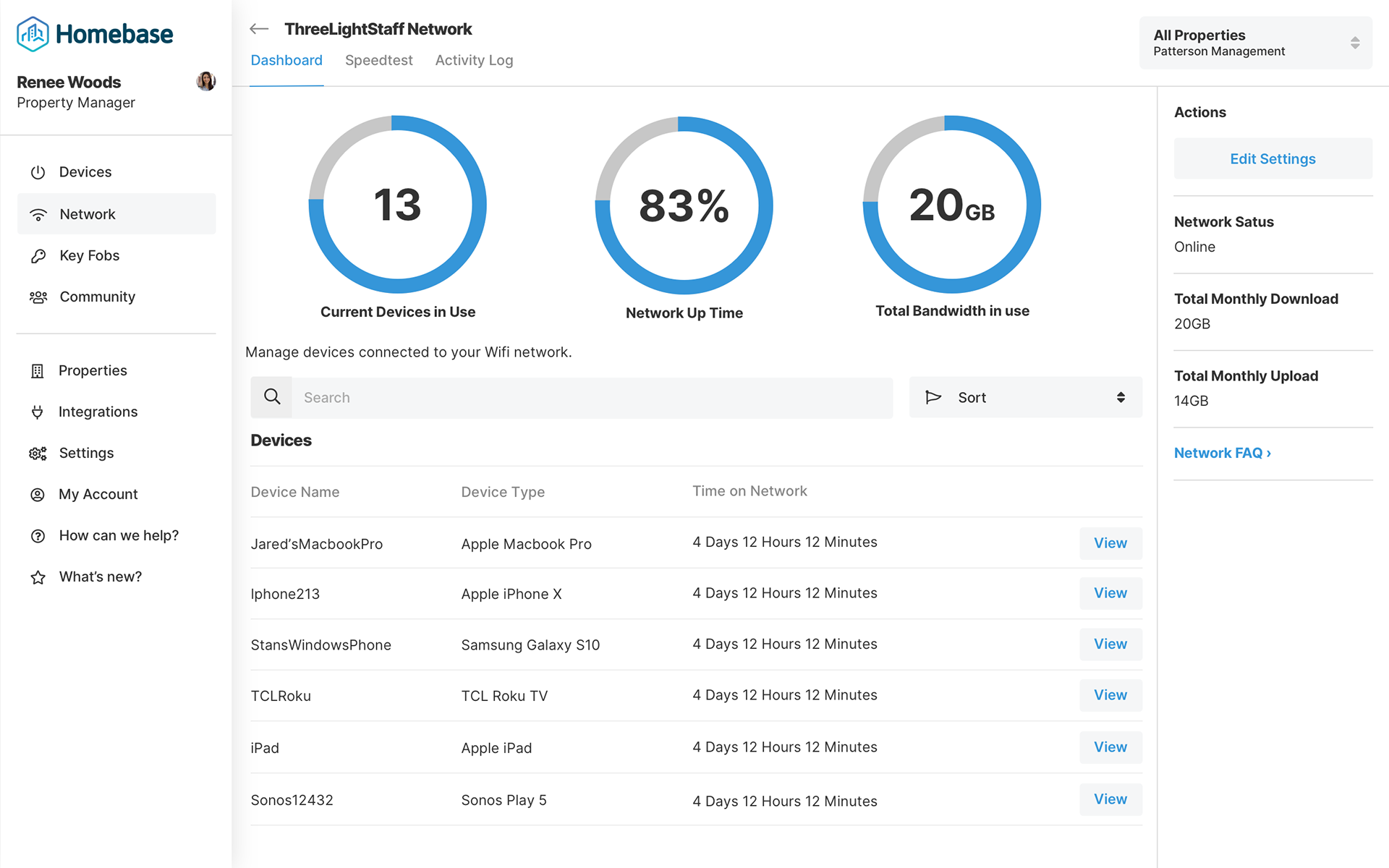
Next, I wanted to bring in some familiar elements from other portions of the redesign. Specifically, these doughnut graphs show the user their most important data; current devices in use, the uptime of the network and total bandwidth usage.
Lower on the page, is an easy to digest list of some common settings that users may want to see as it relates to their network. The name of the network. The password, so that they can easily share with guests. Their current WiFi plan and of course, a way for them to get a faster plan if they find that what they have just isn't enough.
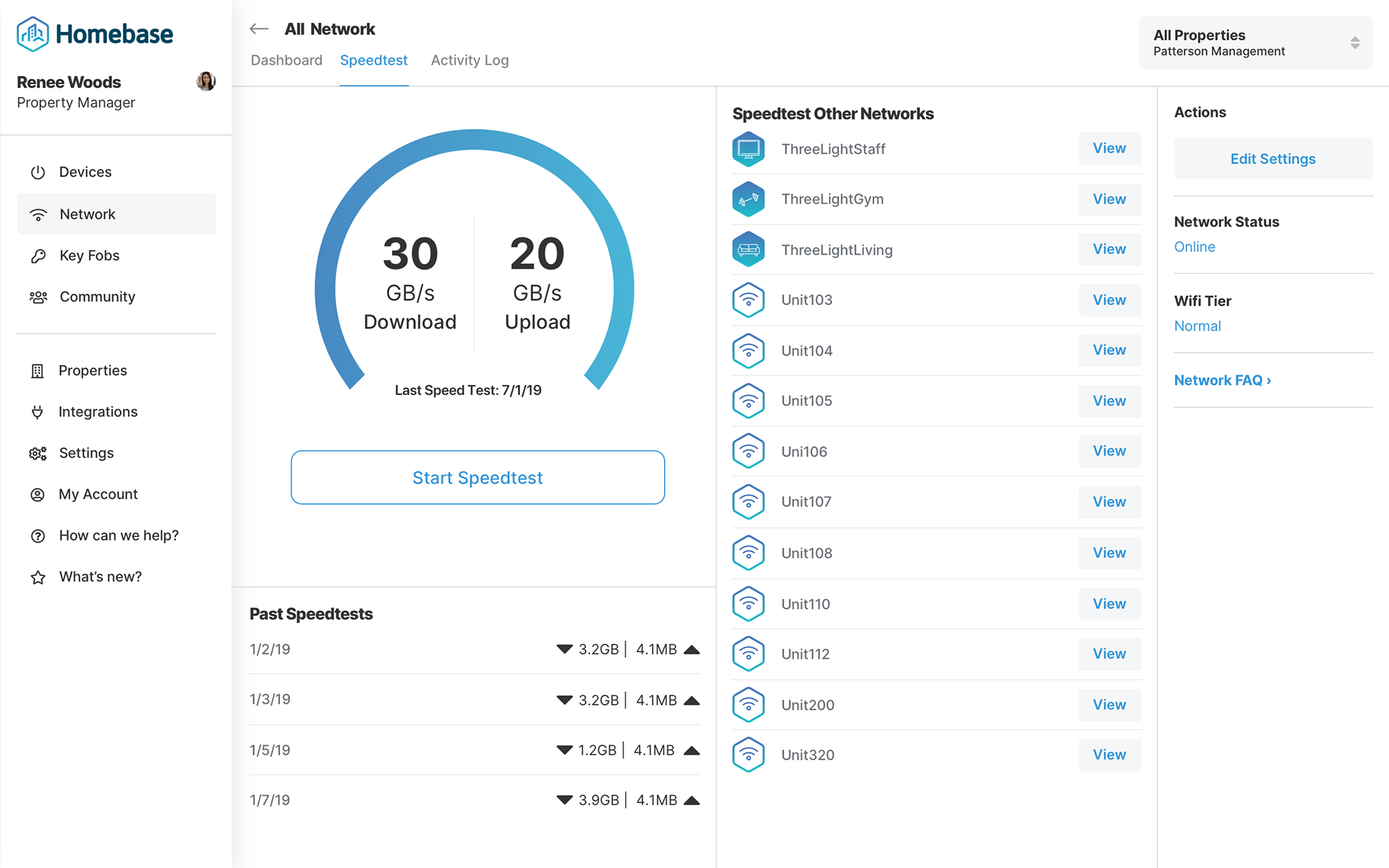
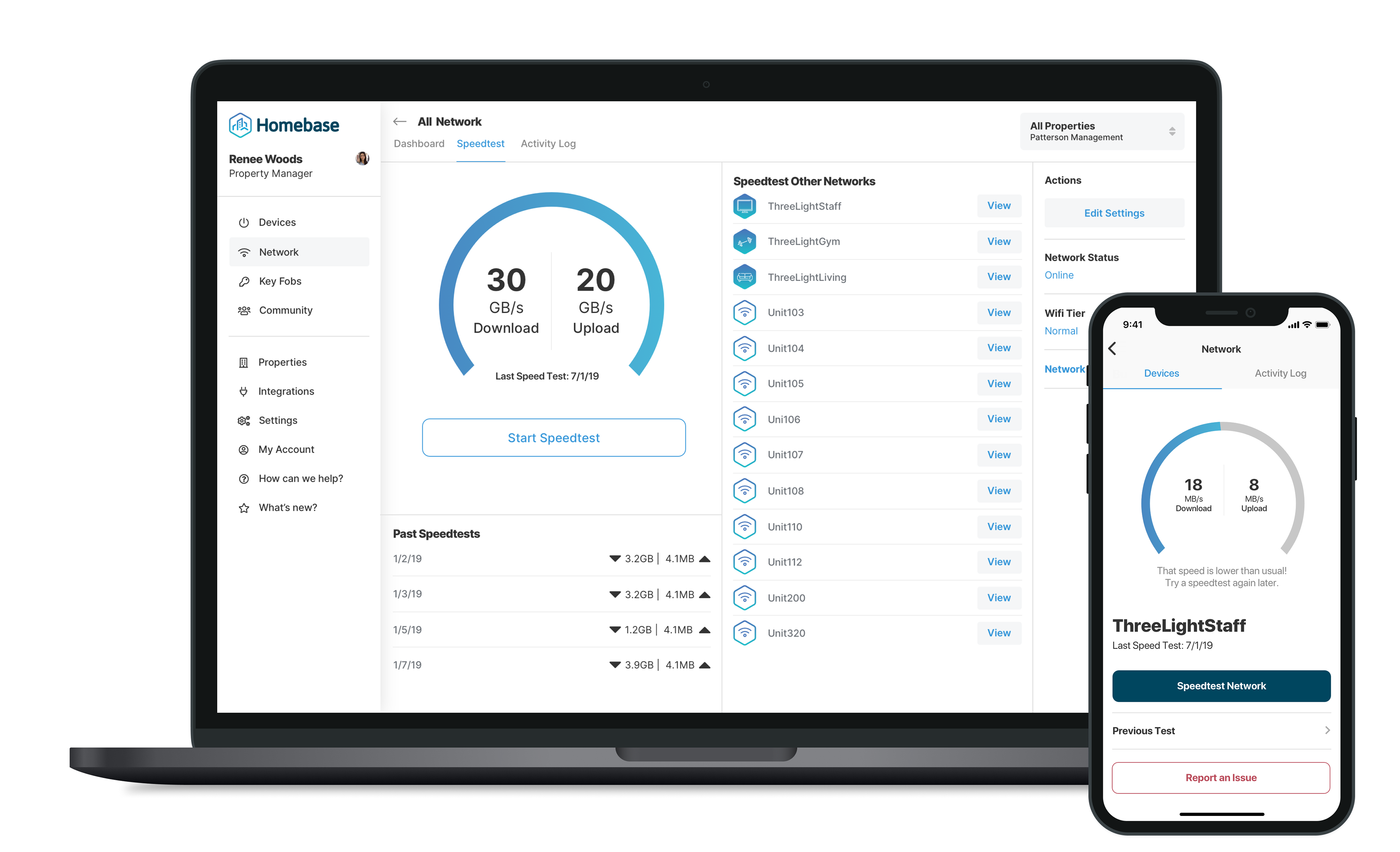
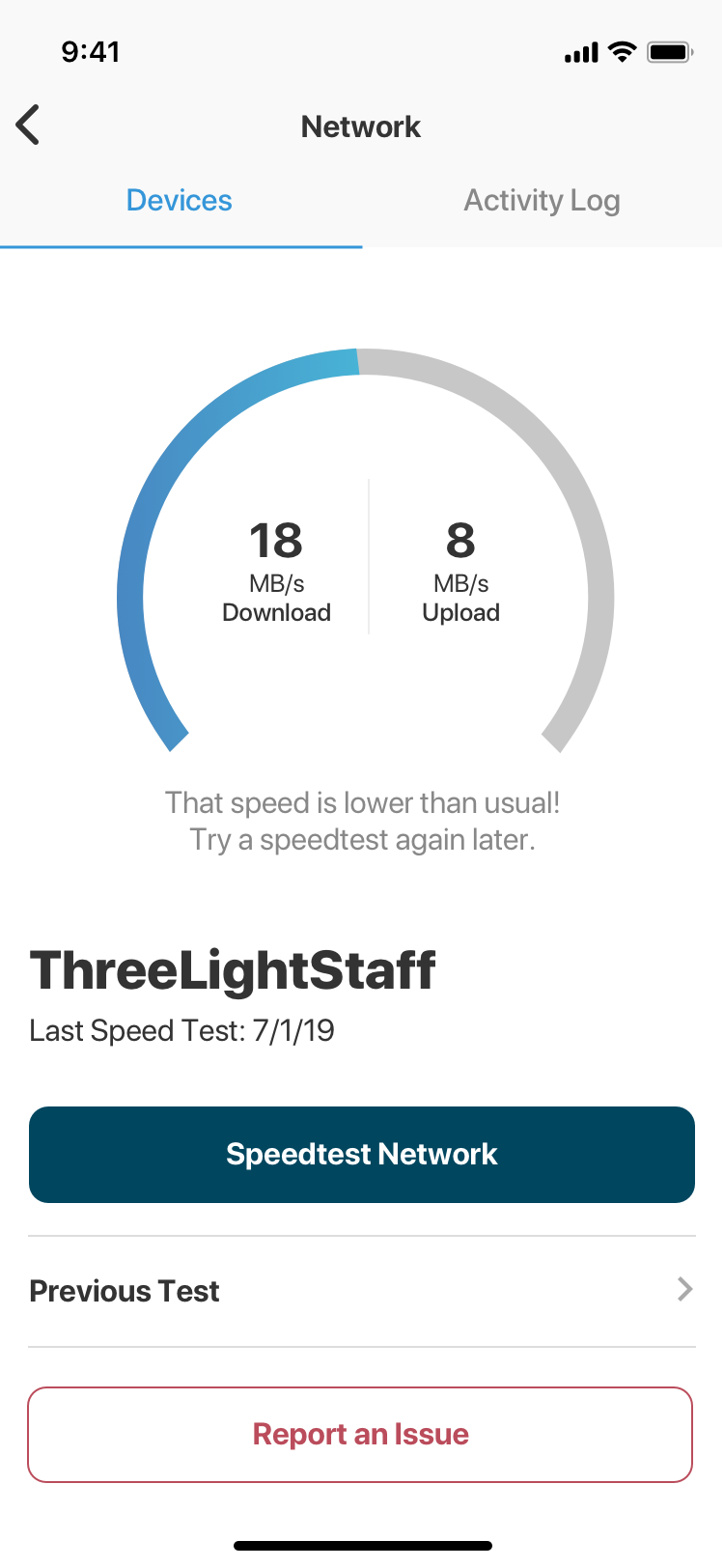
The Speedtest module is the portal for users to access the speedtest tool and view their previous log of speedtest that they have done for a pre-selected period of time. Before tapping into that module, users can see their most recent speedtest results; both upload and download.
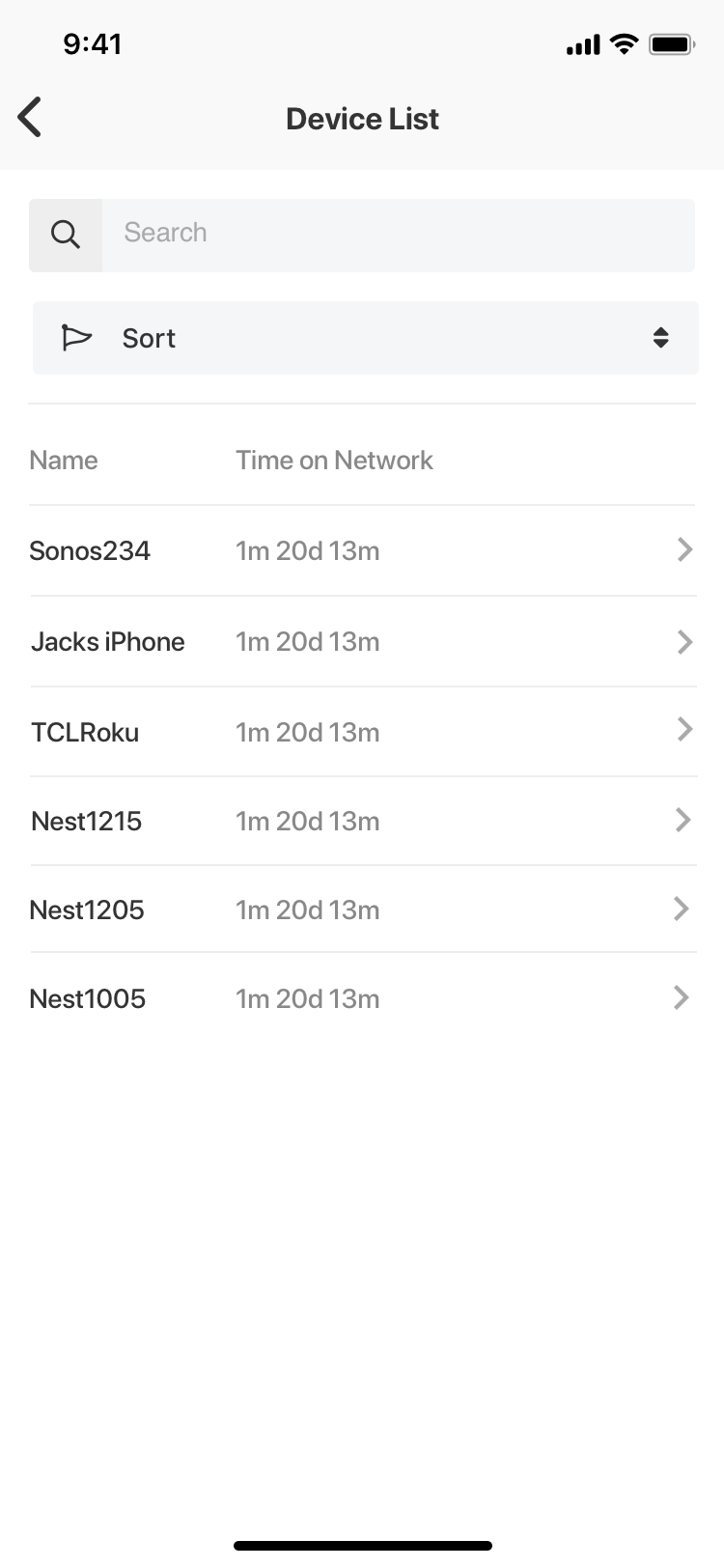
Lastly, is an abbreviated list of the current devices connected to the network with a readout of how how long that device has been connected for.
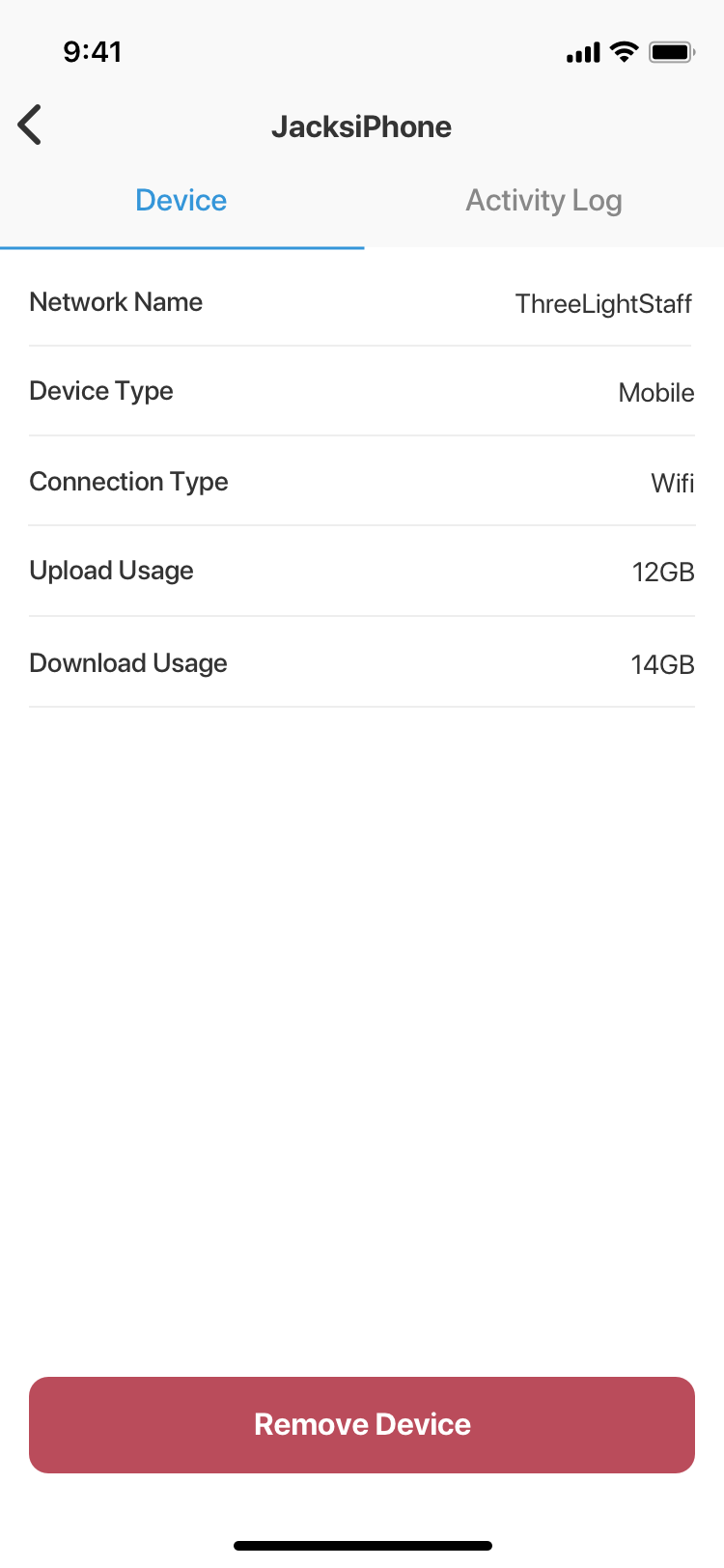
When tapping into the specific device, the user will be able to see the device type, and how much bandwidth (both upload and download) that this device is utilizing.
Desktop